

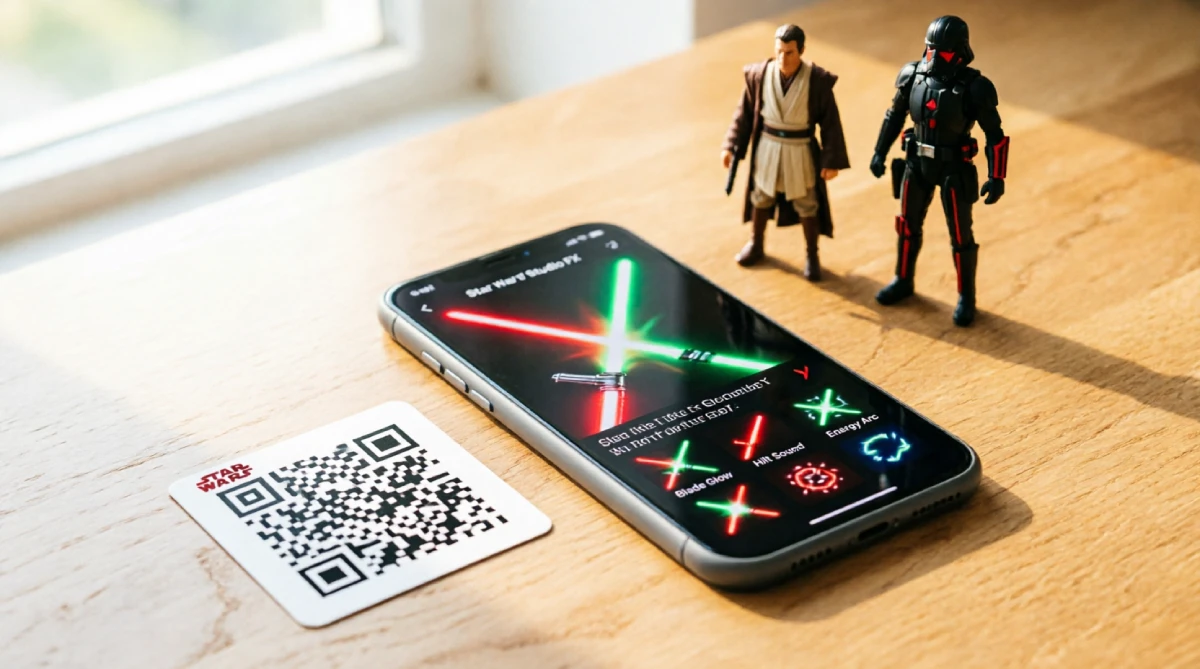
You have the app, you found a code online, you typed it in — and nothing happened. That’s the most common Star Wars Movie FX Maker experience for anyone who goes digging on their own. Most articles online either list codes that expired months ago or point you toward shady sites that want your email address before they give you anything.
This guide explains how Star Wars Movie FX Maker codes work, what they unlock, and two free methods most articles skip: the QR-from-screen hack and the built-in credit system. You’ll know exactly how to unlock effects today, safely, without spending a dollar.
What Exactly Are Star Wars Movie FX Maker Codes?
The App Behind the Codes
The app you are using is officially called the Hasbro Star Wars Studio FX app. The phrase “Movie FX Maker” comes from how fans and some retailers describe it, which has created a lot of naming confusion online. If you’ve searched “Star Wars FX Maker” and hit dead ends, you may have found a completely different product.
The Hasbro Star Wars Studio FX app lets you film short videos and layer real-time visual effects on top of them. Point your phone at an action figure, and you can make it look like it is swinging a lightsaber, firing a blaster, or getting buzzed by an X-Wing. The effects library is surprisingly capable for a free app tied to a toy line.
How the Code System Actually Works
The app locks most premium effects behind a code or QR scan. When you enter a valid code — or scan a valid QR code — the app unlocks a specific FX pack and adds it to your effect library permanently. These are not subscription unlocks. Once it is in, it stays in.
Codes fall into a few categories: starter codes built into the app, promo codes released around events, and QR codes printed on Hasbro toy packaging. That last category is where things get interesting, and it is where most users think they hit a wall — until they learn the screen-scanning trick covered below.
What Can These Codes Unlock in the App?
Codes unlock lightsaber color variations, spark impacts on contact, and ship fly-bys like a TIE Fighter overhead. Here’s a breakdown of what the FX library contains.
Lightsaber Colors and Styles
The most popular unlocks are saber variations. The app includes multiple lightsaber effects beyond the default blue, including:
- Red (Sith configuration)
- Green (classic Jedi)
- Purple (associated with Mace Windu)
- Double-blade (Darth Maul style)
- Cracked/unstable blade (Kylo Ren style)
Some packs also include a swing-trail effect that adds motion blur and sparks on impact, which makes duel footage look much closer to the films.
Blaster Effects, Ship Fly-Bys, and Force Powers
Beyond sabers, the unlockable library covers:
- Blaster bolt effects in both red and green colorways, complete with impact sparks and small explosion flashes, adjustable for angle
- Ship fly-bys, including X-Wing, TIE Fighter, and Millennium Falcon, pass overhead or in the background
- Force lightning (arc-style, branching from a figure’s hands)
- Force push/pull wave effects (a ripple distortion that radiates outward)
- Smoke and atmosphere overlays that add depth to outdoor and indoor scenes
These are not cosmetic filters. They are composited into the frame in real time, which is what makes them genuinely impressive for a phone app.
Character and Droid Cameos
Select FX packs — typically tied to specific Hasbro toy lines — include droid cameo effects featuring BB-8 and R2-D2 rolling through the background of your shot. Some packs also throw in a hologram transmission effect, that translucent blue figure overlay straight out of a Star Wars distress call, often paired with droid or character audio. There are also character audio overlays: Yoda’s voice, Darth Vader’s breathing, and a handful of in-universe sound cues that sync to specific effect triggers.
Where Can You Find Working Star Wars FX Maker Codes?
Most guides skip the two methods below and list the codes. That’s backward. Here are the real sources, starting with the one that works most reliably right now.
The Free In-App Credit Method (No Code Needed)
Inside the Hasbro Star Wars Studio FX app, there is a built-in credit system that most users never fully use. You earn in-app credits by:
- Watching short video ads inside the app
- Sharing completed clips to social platforms through the app’s built-in share function
- Completing daily challenges (these refresh every 24 hours)
Accumulated credits can be spent directly in the FX shop to unlock effect packs — no code required. This is the slowest method, but it is 100% legitimate, safe, and always available. If you’re not in a rush, this is the smartest approach: it costs nothing and risks nothing.
QR Codes from Toy Packaging — And Why You Can Scan Them from a Screen
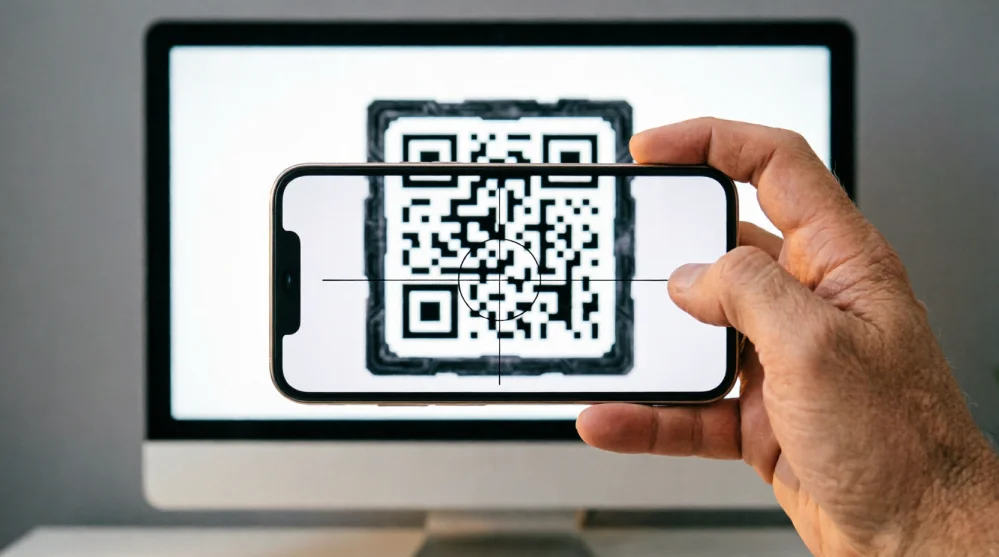
Here is the most important thing in this entire article: QR codes on Hasbro Star Wars toy packaging are universal. They are not single-use codes tied to one box. That means someone can photograph the QR code, post it to Reddit, and you can open the image on your monitor and scan it directly with your phone.
To do this:
- Open the Hasbro Star Wars Studio FX app on your phone
- Tap the “Unlock Effects” or “Scan Code” option in the menu
- Open the QR image on your computer monitor or tablet (full brightness, full screen)
- Hold your phone camera up to the screen and scan
It works. The app reads QR codes from screens the same way it reads them from physical packaging. This method gives you access to effects tied to toys you do not own.
Fan Communities on Reddit, Facebook, and Discord
The fan community has been sharing QR images and promotional codes for years. Reliable places to look include:
- r/StarWars and r/ActionFigures on Reddit (search “Studio FX codes” or “FX app QR”)
- Hasbro Star Wars fan groups on Facebook, where collectors regularly post QR images when they open new toys
- Discord servers tied to Star Wars collector communities
Around Star Wars Day (May 4th) and Star Wars Celebration events, Hasbro typically releases limited promo codes through official social channels. Following the official Hasbro Star Wars accounts on Instagram and X (formerly Twitter) is worth doing in the weeks before those dates.
Code Types at a Glance:
| Code Type | Where It Comes From | What It Unlocks | Availability |
|---|---|---|---|
| Starter Codes | Built into the app | Basic saber and blaster packs | Always available |
| Event/Promo Codes | Hasbro social media, Star Wars Day | Limited FX packs, character audio | Time-limited |
| Product QR Codes | Hasbro toy packaging | Effect tied to that specific toy | Universal, no expiry |
| Fan-Shared QR Images | Reddit, Facebook, Discord | Same as product QR packs | Varies by post date |
How Do You Enter and Use Codes in the App?
The process is straightforward, but the menu label trips people up depending on which app version they are running. Here is the step-by-step:
- Open the Hasbro Star Wars Studio FX app
- Tap the menu icon (three lines or a gear icon, top corner, depending on version)
- Select “Unlock Effects” or “Enter Code” — this label varies slightly between iOS and Android builds
- If you have a text code: type it exactly as written, including any dashes or capital letters
- If you have a QR code: select the scan option, then point your camera at the code (or the screen displaying it)
- The app will confirm the unlock and add the FX pack to your library immediately
Important: The code entry field is case-sensitive on some builds. If a code fails on the first try, check that the caps lock is off and try again before concluding the code has expired.
Why Do Some Codes Stop Working (and How to Fix It)?
This is the section you probably needed before you even started searching. Most code failures have a specific, fixable cause.
| Problem | Likely Cause | Fix |
|---|---|---|
| Code accepted, but no new effects appear | FX pack is already in your library | Check your full effects list — it may be there |
| “Invalid code” error immediately | Typo, wrong case, or missing character | Re-enter carefully; try the all-caps version |
| Code fails even when typed correctly | Outdated app version | Update the app to the latest version from the App Store or Google Play |
| The code worked for someone else, but not you | Regional restriction or one-time-use promo code already claimed on your account | Check your library — the pack may already be unlocked; if not, try the QR method, which has no regional lock or single-use limit |
| QR scan fails to register | The screen brightness or the camera is too far away | Max out monitor brightness; move phone closer |
| Promo code returns “expired.” | Time-limited event code past its window | Check for fan-shared QR images for the same pack |
Is It Safe to Use Codes from Fan Sites and Online Communities?
Using community-shared codes is generally safe — with clear boundaries. The app itself verifies codes on Hasbro’s servers, so no outside site can push anything into your phone through the code entry screen. The risk is not in the codes themselves. The risk is in what some sites ask you to do before they give you a code.
Red Flags to Watch Out For
Be cautious if a site or account:
- Asks for your email address before showing any code
- Requires you to “verify you are human” through a third-party link (not a standard CAPTCHA)
- Claims to have an “unlimited code generator” — these do not exist and never have
- Asks you to download an external app or file to access codes
- Has no community history (brand new Reddit accounts, zero-post Facebook profiles)
Safe Sources You Can Trust
The following are reliable starting points:
- Official Hasbro social channels for event/promo codes
- Reddit threads with active upvotes and multiple user confirmations — if five people in the comments confirmed a QR image works, it almost certainly does
- Facebook groups with thousands of members and a post history going back years
- Star Wars Celebration event pages during the event window
The rule is simple: if getting the code requires giving something up first — your email, a download, a form fill — walk away. Legitimate codes get shared freely by fans who just want to help other fans.
How to Make Better Star Wars Videos Once You Unlock New Effects?
Getting effects is only half the battle. The best fan videos build around one clear scene idea and shoot specifically to support it.
Lighting and Movement Basics
Natural side-lighting makes action figures look more three-dimensional and cinematic. Avoid filming under a direct overhead light — it flattens everything. Shoot near a window in the late afternoon, or set a desk lamp to one side at a low angle. When you move the camera, move slowly. Fast shakes make it obvious the figure is not actually doing anything. Slow pans give the app’s effects time to composite cleanly.
Layering Effects Without Overdoing It
The temptation after unlocking a full FX library is to use everything at once. Resist that. Pick two or three effects per clip: one main effect (the saber or blaster), one atmosphere element (smoke, Force distortion), and one optional sound layer. Three well-chosen effects look like a movie scene. Seven effects layered together look like a test file.
Build Each Video Around One Scene Idea
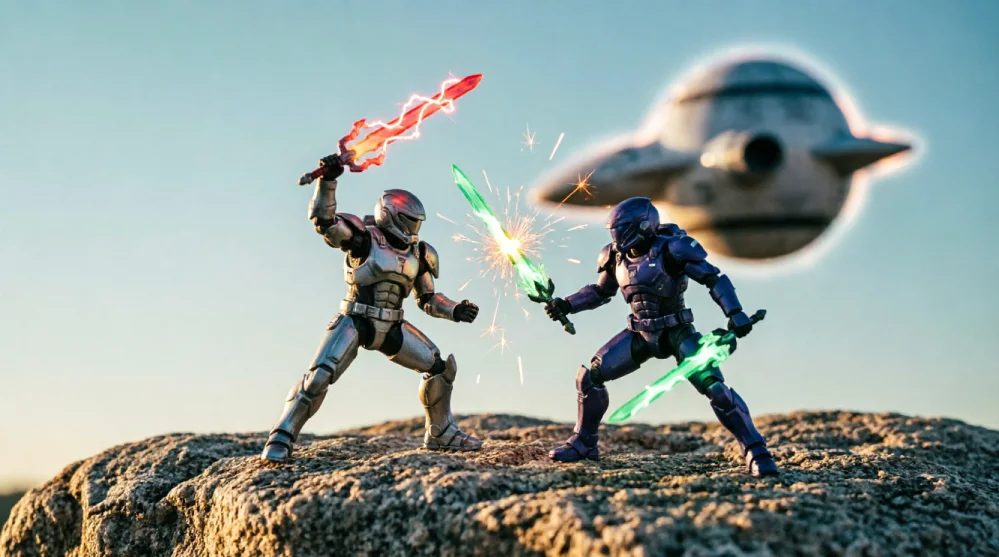
Before you hit record, decide what moment you are recreating or inventing. A Jedi training sequence. A Sith reveals in low light with a red blade and Force lightning. A droid cameo in the background while two figures face off. One clear idea gives every effect a reason to be there.
Conclusion
Key takeaways:
- The QR-from-screen method is real, and it works — open the QR image on your monitor at full brightness and scan it with the app. No toy purchase required.
- In-app credits are the safest zero-cost method — slow, but fully legitimate and always available through daily challenges and video ads.
- Event codes expire; packaging QR codes do not — if an old code fails, check whether it was text-based (likely expired) or a QR image (likely still valid).
- Stick to Reddit, Facebook collector groups, and official Hasbro channels — any site asking for personal info before sharing a code is not worth the risk.
One tip you have not read elsewhere: combine both free methods strategically. Use in-app credits to unlock the general FX packs available in the shop, then use fan-shared QR images for the toy-specific packs that are not available for purchase at all. These two paths unlock different parts of the library, so running them in parallel gets you further than either alone.
Give the screen-scanning method a try this weekend with a QR image from r/StarWars. It takes about thirty seconds, and it genuinely works. If you find a code or QR that is not on this list, share it in the community — that is how these resources stay alive.

